

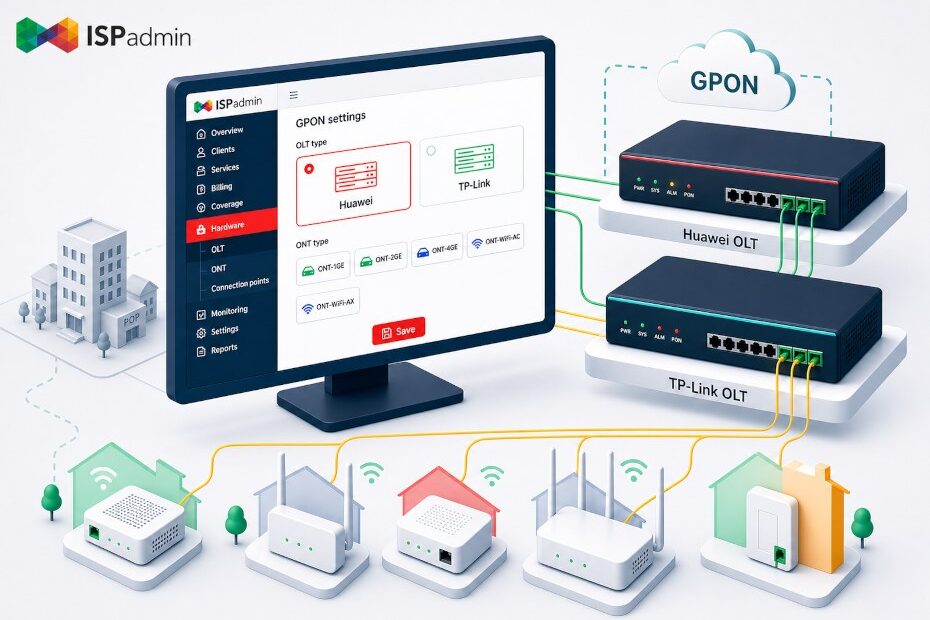
Back in April we wrote about how the GPON module in ISPadmin runs your entire FTTH network from one place – from ONT activation through billing all the way to IPTV. At the end of that article we made one promise: that we were working on extending support to more OLTs. Version 5.42 delivers on it. For GPON you can now choose whether you run on a Huawei or a TP-Link OLT – and, on top of that, set a specific ONT type per service.
Why multi-vendor support matters
Fiber is built in waves, both in the Czech Republic and across Europe, and each wave often means different hardware. You build one PoP on Huawei, extend another two years later, and in the meantime prices, availability and your preferred vendor have all shifted. The result is a reality many providers know well: a network made up of OLTs from more than one vendor.
As long as your monitoring and billing system speaks only one brand, you pay for it twice. Either you run a second, parallel tool just for the other OLTs, or you manage part of the network by hand through the vendor’s web interface – which drags you right back to the paperwork the GPON module was supposed to eliminate. Multi-vendor support in a single system removes that problem: whatever mix of OLTs you have underneath, you manage it from the same client card and the same overviews.
What’s new in version 5.42
Choice of OLT type: Huawei or TP-Link. In the OLT settings (Hardware / GPON / OLT) you now select the device type. Alongside the existing Huawei support, TP-Link has been added in two variants – you pick the right one based on the device you actually run. The rest of the workflow – reading ONT status, activating and deactivating the service, billing on the client card – stays the same regardless of the platform you use.
ONT type per service. For an Internet service of the GPON (Huawei) type you can now also set the ONT type. In practice this means more accurate records of end-user units right on the client’s service – you know not only that an ONT is there, but which one. Handy for servicing, swaps and reporting.
More reliable OLT data. Version 5.42 also includes a fix to how data is read from the OLT, so connection-status overviews are more accurate.
These changes build on version 5.41 – the option to select an access point for a GPON service, a column showing the status of individual LAN ports in the connections overview, and improved display of related links on maps. Together they paint a picture of a GPON module growing toward being genuinely vendor-neutral.
What providers gain
Less vendor lock-in. You can choose your OLT based on price, availability and parameters – not on what your software happens to support.
One system instead of two. A mixed Huawei + TP-Link network is managed from a single interface. No parallel tool, no manual handling of some PoPs through the vendor’s web UI.
More accurate records and reporting. ONT type per service and more reliable reads across all OLTs mean data you can rely on – for your own servicing as well as for mandatory reporting and subsidy projects.
Easier network takeovers. When you take over customers or an entire location from another operator, you simply set the inherited OLT in ISPadmin as another type.
Who it makes sense for
The extension is most valuable for providers who are building or extending FTTH on hardware from multiple vendors, ISPs with a mixed (hybrid) network who don’t want to run a separate tool just for fiber, and small and mid-sized operators for whom a standalone GPON OSS wouldn’t pay off financially, yet who still want a professional level of automation without being tied to a single brand.
Compatibility and technical details
The GPON module is a standalone module that is not part of the base installation and is licensed separately. Currently:
- Supported OLTs: Huawei (development and testing on the MA5608T model, MA5600 series) and now TP-Link in two variants.
- Supported ONTs: any vendor; for Huawei you can now also record the ONT type per service.
- Communication protocol: SNMP, with no proprietary interface or CLI access required.
We recommend verifying the specific supported models and TP-Link variants in the documentation or with our sales team – the device list keeps expanding.
How to get started
Browse the documentation in the wiki, where you’ll find the current list of supported platforms and licensing requirements. If you’re interested in the module, get in touch with our sales team: sales@ispadmin.eu