

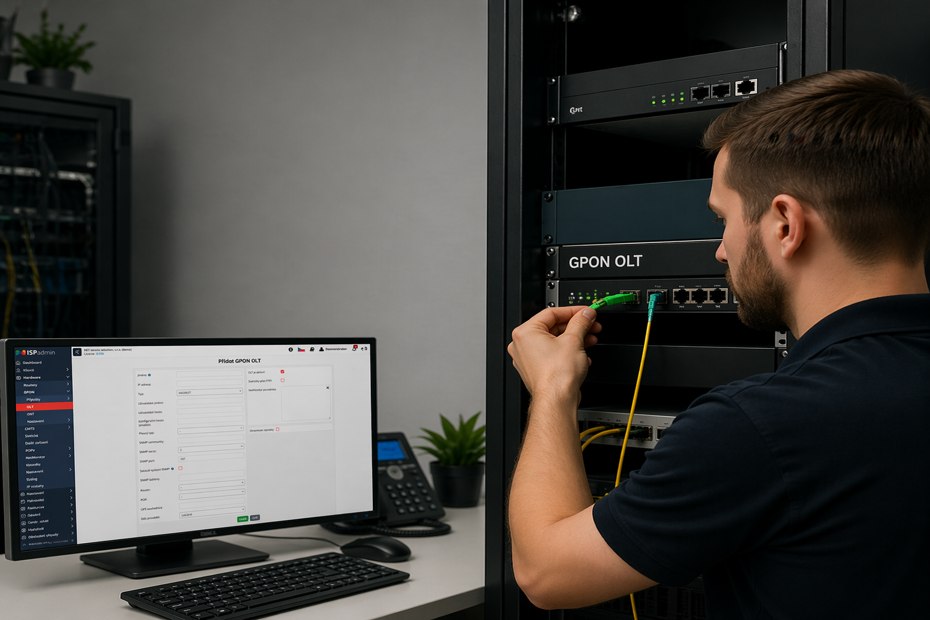
The FTTH boom across Europe has handed providers a new problem: how to efficiently manage hundreds to thousands of ONT units when every OLT vendor has its own interface, your billing sits in a different system, and the field technician still scribbles serial numbers onto a paper form. The GPON module in ISPadmin unifies the entire process into a single pane of glass – from service activation to billing and IPTV. Here is what that looks like in practice.
Why managing GPON without an integrated system is slow and expensive
Most ISPs that are building or expanding an FTTH network end up running the same scenario over and over. A customer orders a service, the technician drives to the socket, mounts the ONT, and comes back to the office with a slip of paper carrying a serial number. The back office then has to:
- Log into the OLT vendor’s web interface.
- Assign the ONT to a specific port.
- Switch to the billing system and create the service for the customer by hand.
- Double-check that the parameters match.
- If IPTV is bundled in, repeat the process in yet another system.
The result? On average 15–30 minutes of administration per activation, a high risk of a typo in the serial number, and no automatic reconciliation of data between OLT, billing, and the customer record. For an ISP with dozens of activations a month, that’s a full-time headcount doing work that could be automated – and spending the time elsewhere would create far more value.
What the GPON module in ISPadmin does differently
The GPON module in ISPadmin is designed to collapse that whole workflow into a single interface. Neither the technician nor the back office has to flip between three systems – everything happens on the customer card.
OLT data retrieval over SNMP. ISPadmin connects to your OLT via the SNMP protocol and automatically pulls the status of every ONT: online/offline, optical signal level, device type, firmware. You don’t have to log anywhere else – the data is right inside the system.
Service activation and deactivation with a single click. When you create a GPON service on the customer card, ISPadmin takes care of the OLT configuration for you. The same goes for termination – no more manually unplugging ports.
Multiport ONT support. If you deploy ONTs with multiple Ethernet ports for different services (typically Internet + IPTV, or Internet for an apartment and an office), the module can split individual ports across different services or customers.
Moving ONTs between customers. Is your customer moving house, or are you taking over a subscriber from another provider? The ONT can be reassigned in a few clicks, and the full history stays attached.
Editing core parameters. Line rate, VLAN, profile – everything is changed from one place, no CLI required.
Internet + IPTV bundled into one GPON service
For hybrid FTTH/IPTV offers, billing is one of the biggest pain points. When a customer has internet on one system and IPTV on another, you end up issuing two invoices, sending two dunning emails, and support has two separate conversation histories.
ISPadmin solves this by running Internet and IPTV as a single GPON service on the customer card. The customer receives:
- one invoice,
- one card inside the client portal,
- one ticket when they call support,
- one notification when parameters change.
Internally the services stay separated for reporting and subsidy projects, but toward the customer you present yourself as a single provider with a single message.
Typical technician workflow in the field
What does this look like in practice at an ISP that runs the module end-to-end? Let’s walk through a new customer activation.
1. Order. The customer orders an FTTH service online. Back office creates the customer card in ISPadmin and schedules the installation job for a technician through the Planning module. The technician receives the task – including the address and service type – on their mobile interface.
2. On-site installation. The technician mounts the ONT, scans the serial number (QR code or manual entry) straight into ISPadmin, picks the customer from the list of scheduled installations, and submits.
3. Automatic activation. In the background, ISPadmin pairs the ONT with the OLT port, pushes the configuration (line rate, VLAN, IPTV profile) and activates the service. The technician sees a confirmation within seconds.
4. Customer notification. Through the integrated SMS gateway, the customer gets a confirmation that the service is live, along with portal login credentials.
5. First invoice. In the next billing cycle the system issues the invoice automatically – no extra action required.
Administration that used to consume 20+ minutes spread across three people collapses into a few clicks in a single system.
What this means for ISP operations
A unified GPON workflow has measurable impact:
Fewer billing errors. Because the ONT serial number, service parameters, and billing record are created in one moment from one dataset, typos caused by manual rekeying between systems disappear.
Faster Time-to-Service. New customer activation measured in days, not weeks. In subsidy-backed projects, where the speed of connecting the first subscriber is a tracked KPI, that’s a tangible metric.
Report-ready data for regulators and subsidy programs. Port counts, statuses, and traffic data are available in one system in real time. For providers participating in national broadband or EU-funded programs, that’s a significant saving of time when preparing mandatory reports.
Smoother transition from hybrid networks. If you operate a mixed wi-fi / copper / fiber network, ISPadmin with the GPON module can run all technologies under one roof – you don’t have to build a parallel tool just for fiber.
Who this makes sense for
The GPON module in ISPadmin delivers the most value for:
- ISPs currently building or expanding FTTH – they get a tool that scales to thousands of subscribers without further investment in integration.
- Providers enrolled in subsidy programs – report-ready data and consistent records save hours when preparing mandatory filings.
- ISPs running hybrid networks who don’t want to operate three parallel systems for different technologies.
- Small and mid-sized providers for whom a standalone GPON OSS wouldn’t pay off financially, but who still want a professional level of automation.
Compatibility and technical parameters
To avoid any confusion – the GPON module in ISPadmin is a standalone add-on that is not part of the base installation and is licensed separately. The current state of play:
- Supported OLT: Huawei devices; development and testing is performed on the Huawei MA5608T and Huawei MA5801 (MA5600 series and above). If you run a different OLT, get in touch – integration is technically feasible and we’re actively expanding support.
- Supported ONT: no vendor lock-in. Any ONT compatible with your OLT will do.
- Communication protocol: SNMP, so no proprietary interface or CLI access is required.
- Management: all specific actions are driven by OID templates, which means adding a new OLT model is a configuration exercise, not a code change.
We recommend verifying the current state of supported devices directly in the documentation or with our sales team, because the list is being extended continuously.
Getting started
If you are evaluating the GPON module or considering a migration from another system, start with the documentation in our wiki (GPON Introduction and the GPON Module Manual), which lists currently supported platforms, licensing requirements, and a first-configuration guide.