

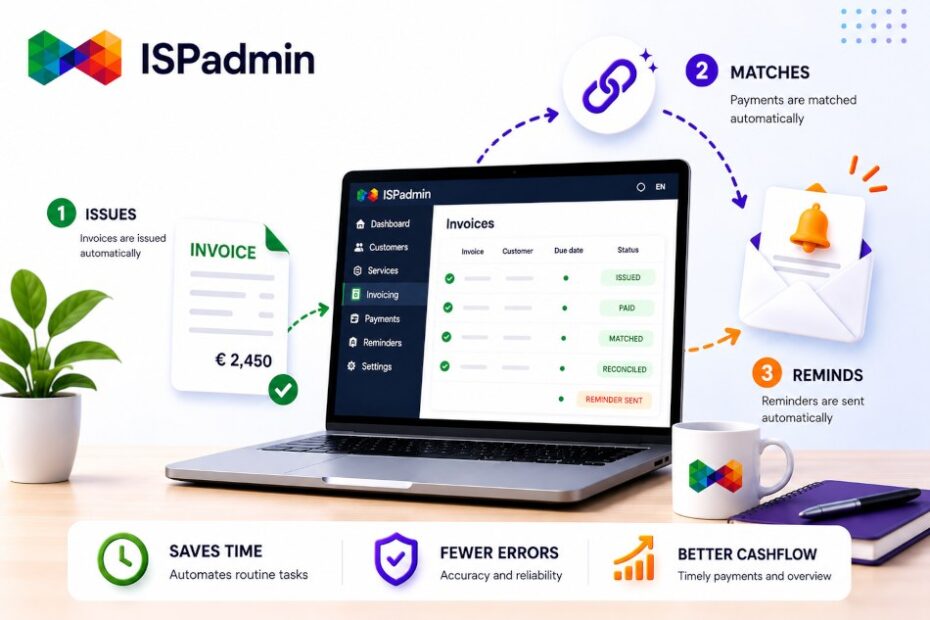
Billing is the heart of every ISP — and at the same time, the place where money and time most often slip away. ISPadmin can take the whole cycle off your hands: from issuing invoices through matching bank payments to reminders and blocking non-payers. How many hours a month do manual invoicing and payment follow-ups consume today?
How many invoices do you issue by hand? How many payments do you reconcile each month “by eye” using a variable symbol in Excel? And when did you last send a reminder three weeks later than you should have, simply because there was no time? If those numbers don’t sit well with you, here’s the good news: ISPadmin can do all of this for you — and once it’s set up, you rarely have to come back to it.
Why tackle billing first, and why now
You can have your network beautifully built, coverage planned down to the last entrance, and your technicians finely tuned — but until your payments are reconciled automatically and non-payers are tracked automatically, it eats into your margin and, above all, your time. At a small ISP, it still “somehow works” manually. Once you pass a few hundred clients, manual billing stops being sustainable, and every mistake (a wrong variable symbol, a forgotten tariff change, an unsent reminder) costs real money.
That’s why ISPadmin builds billing as an automated cycle, not as document filing. The contract, the service, the price, and the payment stay tied together — and each month, the system produces what needs to go to the client and into your accounting on its own.
What the Billing module can do
The Billing module covers the entire financial loop of a provider:
- Automatic invoice generation from a client’s active services — regularly, in your chosen billing cycle (monthly, quarterly, annually), in bulk for all clients at once.
- Consolidated billing of multiple services on a single document — internet, IPTV, VoIP, and one-off items on one invoice, clear for the client and for accounting.
- Payment reconciliation from bank statements — the system matches incoming payments by variable symbol and amount, so you only handle the exceptions, not the whole statement.
- QR payments and payment details right on the invoice — the client pays in a couple of clicks, and you get a higher share of on-time payments.
- Reminders and non-payer tracking — automatic emails and SMS messages for overdue amounts, with follow-up service throttling or blocking based on the rules you set.
- Credit notes, advance payments, and corrective documents — the full agenda you need to keep your accounting in order.
- Exports to accounting systems — you hand the data to your accountant without retyping.
The important part is that all of this runs on a single source of data. The invoice knows which services the client actually has because it reads from the same record used by sales and field technicians.
Three roles, three views of the same billing
- The accountant / billing clerk runs bulk billing for the whole month in one step, payments are reconciled from the statement automatically, and they only deal with discrepancies. The monthly close that used to take days becomes a matter of checking exceptions.
- The salesperson sees the client’s real payment status and balance — before calling about an upsell, they know whether the client pays on time. Special pricing terms are set once, and billing keeps applying them automatically.
- The ISP owner has cash flow under control: who owes money, who is getting a reminder, and how much has been invoiced this year. Instead of “it’ll be somewhere,” they have the numbers in real time.
How billing fits into the rest of the system
Billing is not an island. It reads from the same data as Clients (services, contracts, tariffs) and connects to the Helpdesk (communication with the client about a payment has its history on the ticket). When the question “why was I charged this amount?” comes in, you find the answer on a single record, not across three systems.
Three tips for rolling out billing smartly
- First, get your billing cycles and tariffs straight. Before you run bulk billing, check that services have the right prices and periods. A few minutes here saves hours of complaints.
- Turn on payment reconciliation right away. Automatic matching from the bank statement saves the most time — set it up first.
- Set up reminders and blocks as a rule, not as a decision. When the system sends reminders automatically based on clear rules, you no longer agonize over “who to write to next,” and client relationships stay matter-of-fact.
What’s in it for the ISP owner
- Less manual work — bulk billing and automatic payment reconciliation free up days each month for the billing clerk.
- Faster, more stable cash flow — QR payments and automatic reminders shorten the time until money arrives.
- Fewer errors and disputes — the invoice draws on the client’s real services, not on colleagues’ memory.
- Auditable data — a single source of truth about what was invoiced and paid. For peace of mind in accounting and for NIS2.
How to get started
You’ll find billing in ISPadmin under the Billing tab, with detailed guides at wiki5.ispadmin.eu. We recommend three steps:
- Review the tariffs and billing cycles on your services so billing generates the correct amounts.
- Set up payment reconciliation from the bank statement and rules for reminders.
- Verify the exports to accounting so the data lines up without retyping.
If you’re interested, we’re happy to help you set billing up or show it on a demo.