

In December, we wrote about how ISPadmin supports a more secure ISP operation — 2FA, roles and permissions, TLS with Let’s Encrypt, and bulk password changes on MikroTik. But NIS2 requires more than one-time measures; it demands demonstrably managed access, enforced policies, and operational continuity even on a bad day.
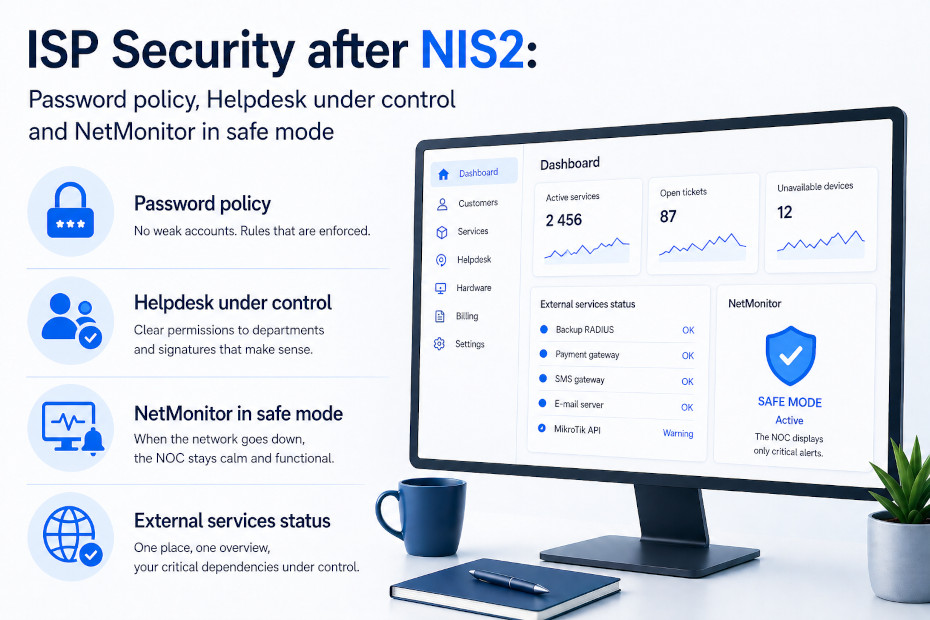
Version 5.40 introduces features that move exactly in this direction — password policy, a redesigned Helpdesk, fail-safe NetMonitor, and a widget for external service status.
1. Password policy — no more “Password123” in your team
Until recently, each system administrator could use whatever password they remembered. From both an audit and NIS2 perspective, that’s a problem — one weak account is enough to leave the door wide open.
In Settings → System settings → General, a new password_policy configuration is now available. It lets you define password requirements for system users (length, complexity, character rules). Once enabled, all newly created passwords must comply — weak passwords are simply rejected.
And an important audit trail feature: in Settings → Administrators → Administrators, there is a new Password policy column that directly shows whether each user’s password meets the requirements. You can instantly see who needs to update their password — no Excel sheets, no guesswork.
What it means for you: Weak passwords are no longer a matter of trust, but of configuration. You enable the policy once, and your team follows it automatically. For audits (NIS2, Cybersecurity Act), one screenshot and one timestamp are enough.
2. Permissions and signatures in Helpdesk — who can do what and under which name
In ISP operations, the Helpdesk quickly fills up with agendas from multiple departments — billing, technical, field technicians, support. When everyone sees everything, it becomes both an audit issue and a practical one (“why did a technician delete a billing ticket?”).
The Helpdesk → Settings → Departments section is now split into three sub-tabs:
- Departments — original settings.
- Permissions — an overview of all users and departments with the ability to edit permissions directly. Finally, one place where you can clearly see “who has access to what” — and change it.
- Signatures — define different signatures for different users across departments. A technician no longer signs billing replies as an accountant, and vice versa.
What it means for you: Clear segregation of duties is one of the first things auditors and NIS2 look for. In ISPadmin, it’s a table — not a Word document on a shared drive.
3. NetMonitor in fail-safe mode — when the network collapses, your operations stay in control
A classic failure scenario: a backbone link goes down, NetMonitor starts reporting hundreds of unavailable devices, alerts flood the operations team, and somewhere in that flood, the one critical alert gets lost.
In Hardware → Settings → NetMonitor → General, there is now a fail_safe_mode_trigger_threshold setting. You define the threshold of unavailable devices, after which NetMonitor switches to a limited mode — showing only key information instead of a massive wave of noise.
What it means for you: Operational continuity under NIS2 isn’t just about systems running. It’s about people being able to work during a crisis. Fail-safe is the difference between “a quarter of the network went down, but the team handled it” and “a quarter of the network went down and the team spent an hour digging through 3,000 alerts.”
4. Dashboard widget External service status — one view, everything important
Secure and reliable ISP operations don’t depend on ISPadmin alone. You rely on backup RADIUS servers, external integrations, monitoring tools. When one of these “supporting pillars” fails, you should know before your customer tells you.
The Dashboard now includes a new External Services and Systems Status widget. In one panel, you can see the status of external services (e.g., backup RADIUS) and verify whether your “safety net” is actually working. Visibility respects user permissions (Settings → Administrators), so users only see what they are allowed to.
What it means for you: A backup system you don’t know is down overnight isn’t a backup system. This widget gives you that certainty every morning on your first screen.
Summary
Post-NIS2 ISP security stands on four pillars, all now natively covered by ISPadmin:
- Identity and passwords — 2FA + new password policy with audit visibility.
- Segregation of duties — Helpdesk permissions as a clear, manageable table.
- Operational continuity — fail-safe NetMonitor that prevents alert overload.
- Dependency visibility — dashboard widget for external services and backup systems.
Security in version 5.40 is no longer just an “audit checkbox.” It’s an everyday operational layer that saves time, reduces risk, and gives you something solid to show during an audit or incident.
Want to see how it works in your network? Try ISPadmin in a demo or get in touch with our team — we’ll guide you through setting up password policies and Helpdesk configuration in your environment.