

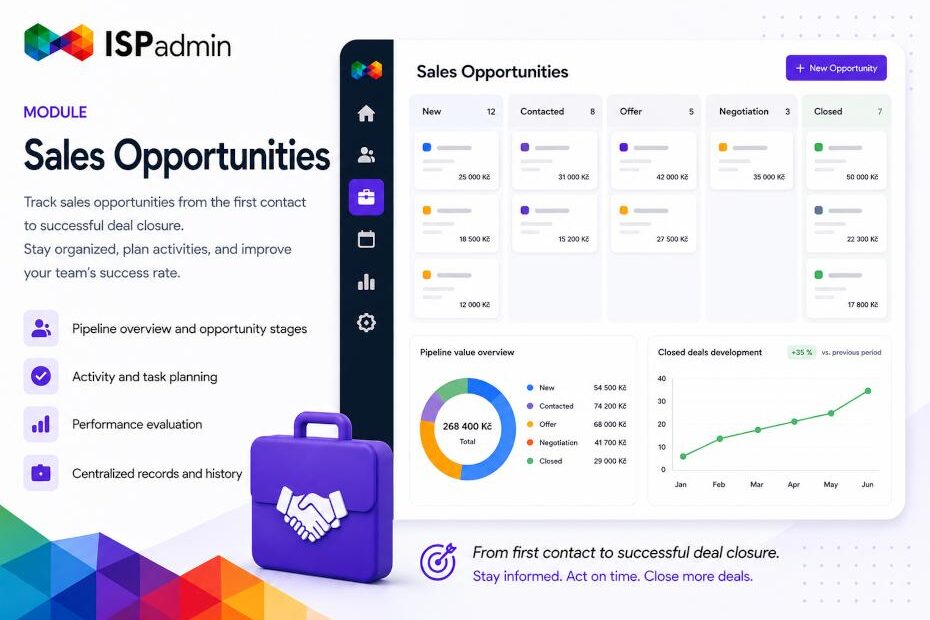
In ISPadmin 5.42 beta 1, we connected the Sales Opportunities and Helpdesk modules. All client communication — emails, SMS messages, phone calls, and in-person meetings — is now available directly within the detail of a specific sales opportunity. You can also create a new ticket with a single click.
How much time do you spend every day switching between modules just to find out who spoke with a client, when, and about what? If your sales team keeps communication history “somewhere in Helpdesk” while the sales opportunity itself is “somewhere else,” it’s time to bring everything together. In ISPadmin 5.42, we completed one of the most requested integrations — the Sales Opportunities module now works directly with the Helpdesk module.
What’s New
A new Tickets tab has been added to every sales opportunity detail. It provides a complete overview of linked tickets and scheduled Helpdesk messages, including status, priority, department, owner, and labels. All communication with the client — emails, SMS messages, phone calls, and personal meetings — is now accessible exactly where it makes sense: directly within the related sales opportunity.
Two new buttons are available:
- Link to Ticket opens a dialog with a ticket list and full-text search by ticket ID, client name, contact, or subject. Checking a ticket creates the link, while unchecking removes it. One ticket can be linked to multiple sales opportunities.
- Create New Ticket opens the Helpdesk form with the sales opportunity already pre-linked. Tickets can be created through all four communication channels: Email, SMS, Phone, and Personal Visit. After saving, you are automatically returned to the sales opportunity detail, and the new ticket immediately appears in the list.
Practical Benefits for ISPs
- Less clicking. Sales representatives no longer need to switch between modules to see who communicated with the client and when.
- Complete sales context. The entire communication history becomes part of the sales opportunity — from the first inquiry to the final closure.
- Cleaner Helpdesk organization. Tickets related to sales activities are clearly linked, making them easy to distinguish from operational support tickets.
- Smooth handovers. When sales hands a client over to support, simply open the sales opportunity — everything is already there.
How Does It Work?
Open a sales opportunity, switch to the Tickets tab, and immediately see everything related to the client communication history. Need to find an existing ticket? Click Link to Ticket — full-text search will find it, and a single checkbox creates the connection. Need to send an email, schedule a meeting, or record a phone call? Click Create New Ticket — the form opens with the sales opportunity already linked. Simply choose the communication channel (Email, SMS, Phone, or Personal Visit), add the content, and save. The ticket instantly appears in the list while continuing through its standard Helpdesk workflow.
How to Enable It
The functionality is automatically available to all customers running ISPadmin 5.42 beta 1. The only requirement is that the user has both modules activated — Sales Opportunities and Helpdesk — along with the necessary permissions (read and write access) in both modules.
Try It Yourself
You can test the feature on our demo environment: www.ispadmin.eu/demo
If you need any assistance or would like to learn more about the Sales Opportunities module, contact us at sales@ispadmin.eu.
Thank you for using ISPadmin. We are already working on more improvements.