
Helpdesk, technicians and inventory for ISPs
The Helpdesk in ISPadmin keeps client requests together: an e-mail, SMS or phone call becomes a ticket assigned to the client, and the ticket becomes a task for a technician. The technician takes material from the warehouse, and you then invoice the work and the material.
What you get
-

No request gets lost
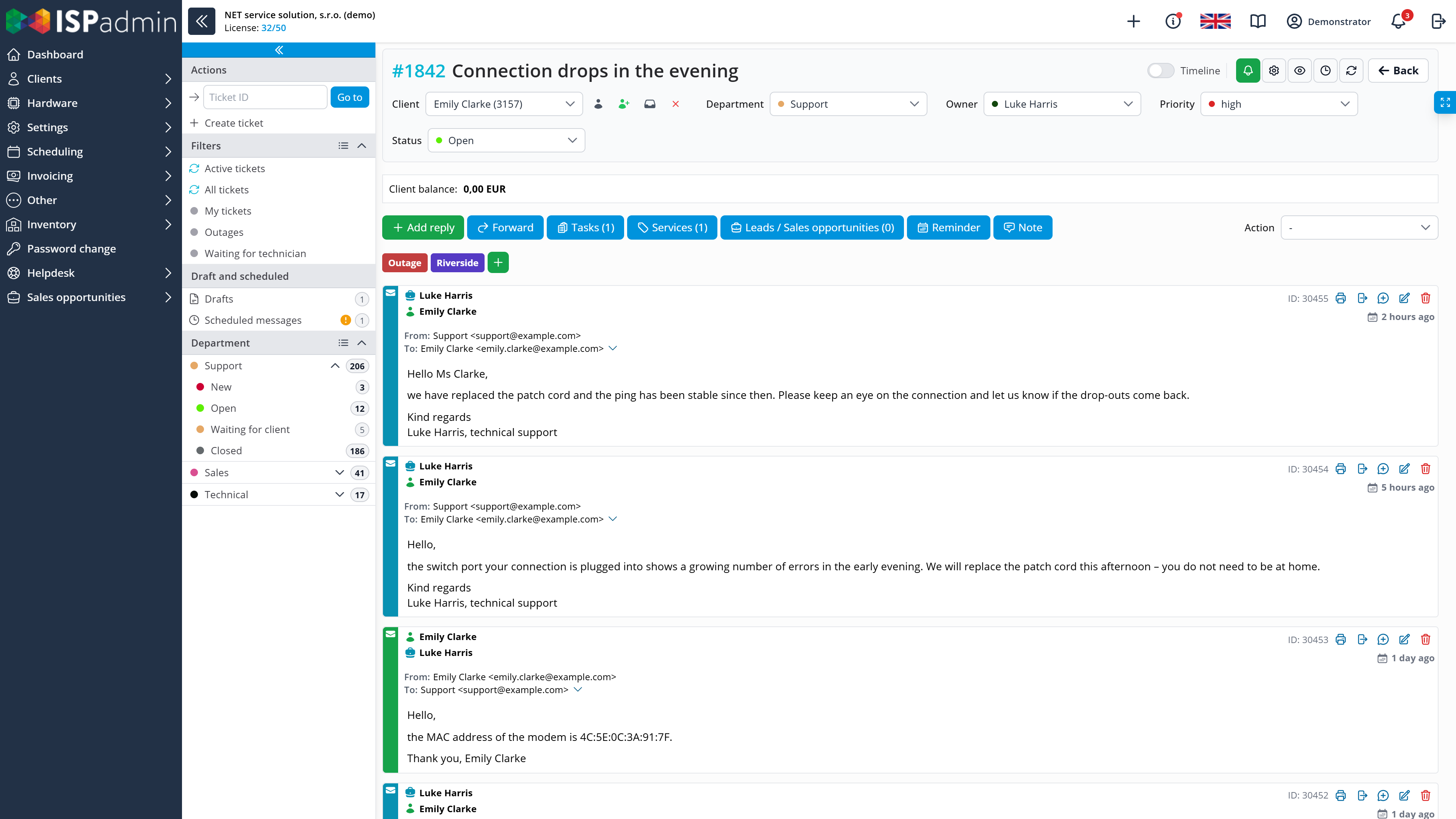
E-mails, SMS, phone calls and requests from the client portal are in tickets assigned to the client. The department queue shows who is handling what and what status it is in.
-

Technicians know where to go and when
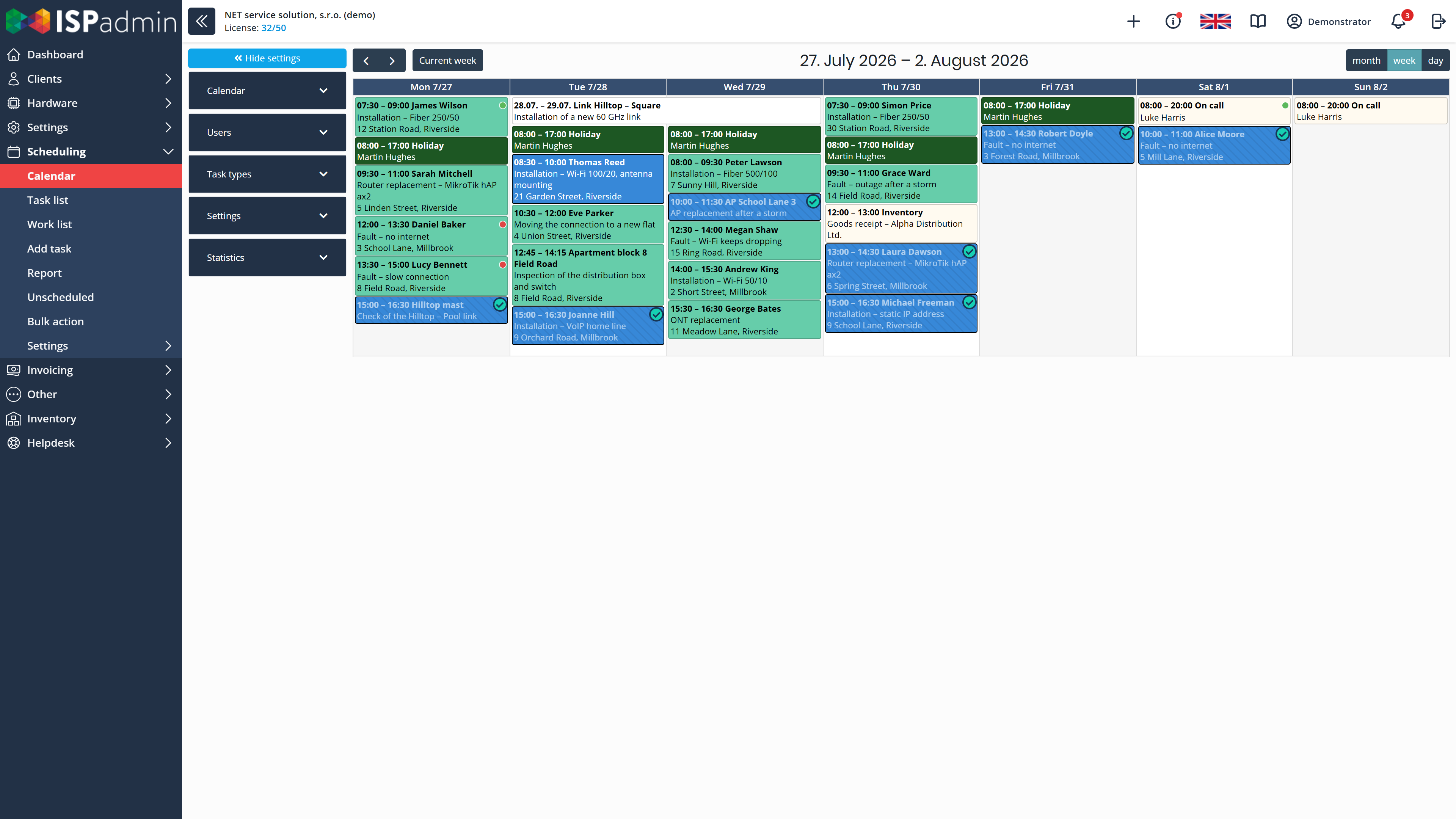
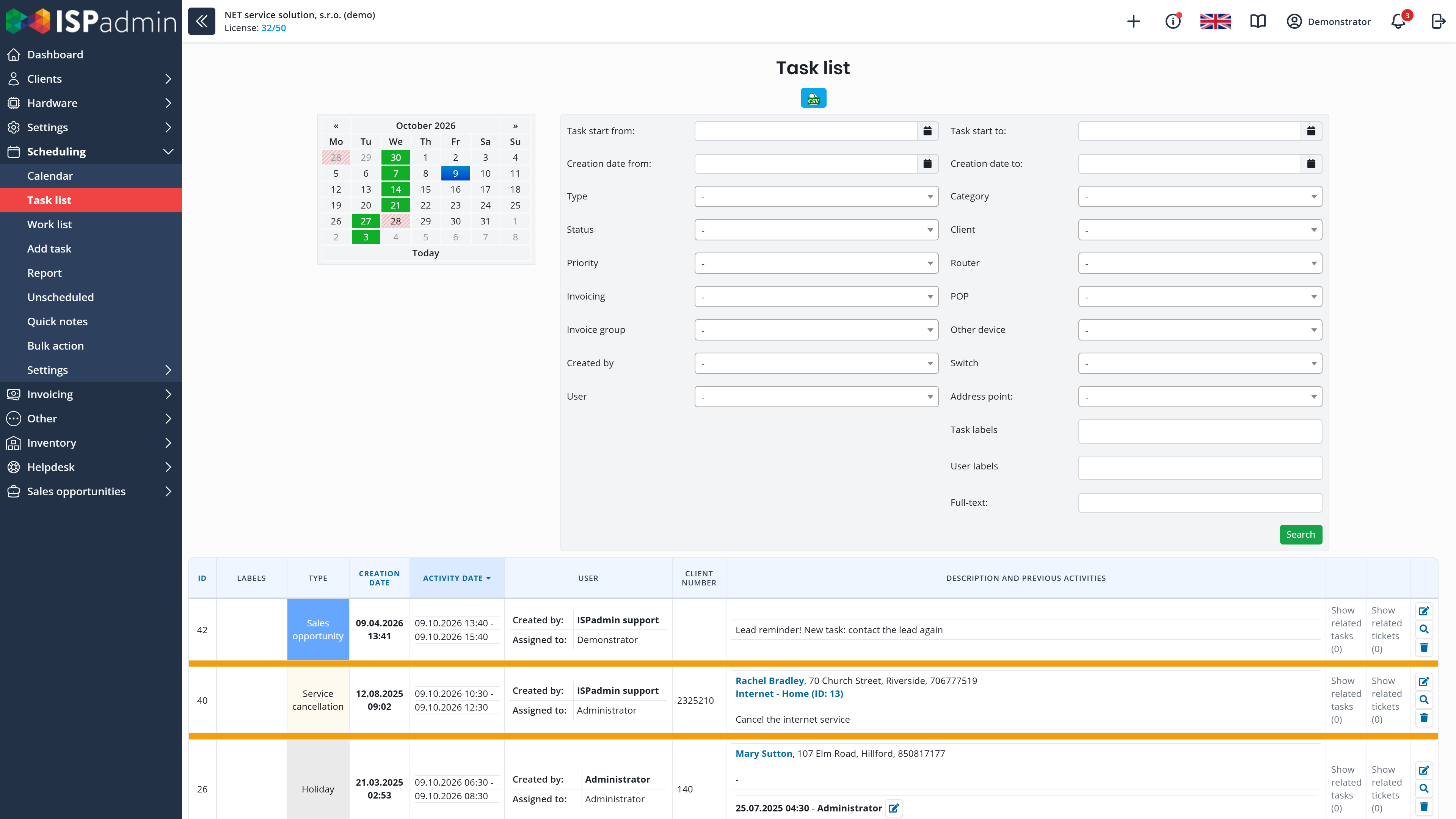
Each task has its date in the calendar and the details the job needs. When you save the task, you send the client an e-mail or SMS with the time of the visit.
-

You know where every device is
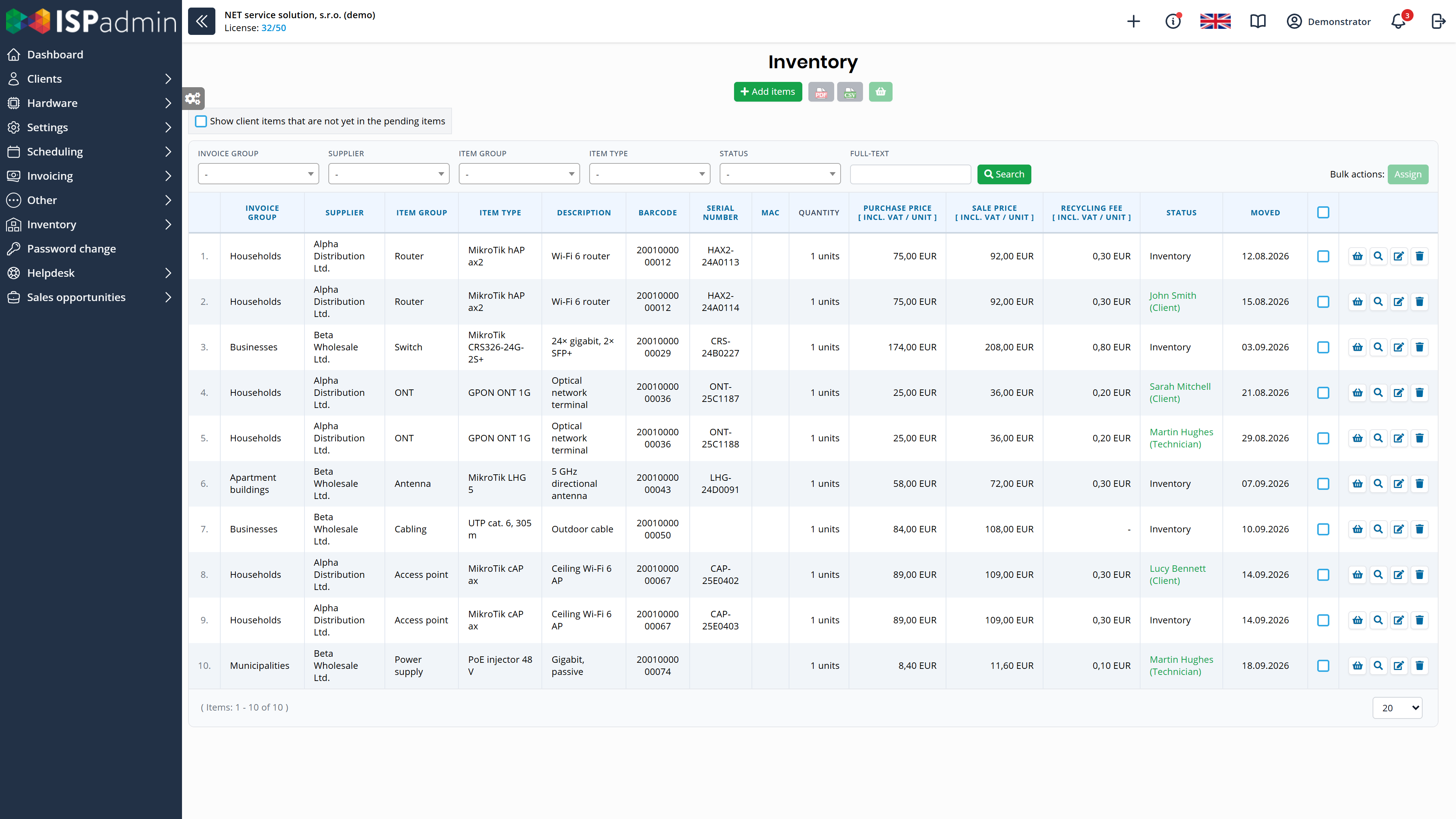
Every item in Inventory has its serial number and movement history – you know whether it is in stock, with a technician, at a client or at a POP.
Helpdesk
Add-on module
Communication with clients and their requests in one place.
- E-mails, SMS and calls in one ticket Tickets from e-mail (including Microsoft 365 mailboxes), SMS, phone calls, personal meetings and the client portal. The Helpdesk assigns each ticket to the right client automatically.
- Replies and teamwork Communication on a timeline, internal notes and mentions of colleagues, reply templates with variables, drafts and replies sent at a scheduled time. The signature changes by department and user.
- An orderly queue Departments, statuses, priorities and labels (also assigned automatically from the client card), filters and bulk actions. You decide in the permissions who sees which department.
- From a ticket to a technician’s task You link the ticket to the client’s service and to a sales opportunity. When a site visit is needed, you create a task in Scheduling from the ticket. You save the ticket’s attachments to the client’s documents or photo gallery.
- Helpdesk statistics (extension) Ticket counts by period, department and user in charts.
Scheduling
Add-on module
Technicians’ service plan, from assigning a task to invoicing it.
- Calendar and service plan The calendar shows what is planned for today and who is going where. You filter tasks by type, status, client or router.
- Tasks with the details you need Task types with required fields, any number of technicians and items per job, and groups of technicians.
- Clients know when the technician is coming When you save the task, you send the client an e-mail or SMS with the time of the visit, based on a template.
- Work reports and invoicing Work reports, history and statistics for each technician. With the Invoicing module, you invoice the work and the material used.
- Tasks in your calendar Tasks appear automatically in Google, Apple or Outlook calendars (iCalendar). You write a quick note from any page and link it to a client, router or POP.
Inventory
Add-on module
Where each device is: in stock, with a technician, at a client or at a POP.
- Every item on record You define your own types of goods – for example active devices, client equipment, passive and consumable material. Each item has its serial number, purchase and sale price and full movement history.
- The path of goods Receipt from the supplier, issue to a technician, installation at the client linked to a service or contract, return, or your own type of movement (for example a write-off). Stocktaking and a barcode reader.
- Asset register An up-to-date list of the devices your network runs on, including where they are and who has them. NIS2 also expects you to keep one.
- Selling goods You sell goods to the client on an invoice. Variables in the contract template add them to the contract automatically.
How the helpdesk and technicians connect to the rest
More in News
-
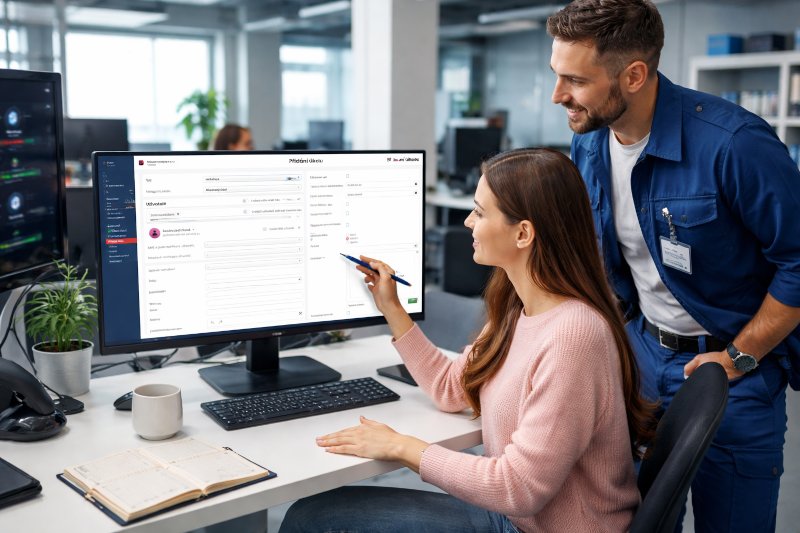
Helpdesk and Planning – A Smooth Workflow from Ticket to Task
“Could you please convert this client’s email into a task for the technicians?” If this question comes up every day and tickets get lost between your support…
-
Quick Notes in ISPadmin: No Idea Left Behind
The new Quick Notes feature in the Planning module lets technicians and administrators capture ideas, reminders, or tasks in seconds — right from the system…
-

Central Warehouse in ISPadmin: Where Every Antenna, Set-Top Box and Switch Is — and Why It Matters After NIS2
How many set-top boxes, antennas and switches do you have out in the field — and do you know exactly who has each of them right now?


Demo and a non-binding quote
Explore ISPadmin in the demo as an administrator, or tell us how many clients you have and which modules interest you – we will prepare a non-binding quote.
Try the demo for free Get a non-binding quote
Sales: +420 588 887 778, sales@ispadmin.eu