Known RouterOS vulnerabilities for every MikroTik router and other network management news
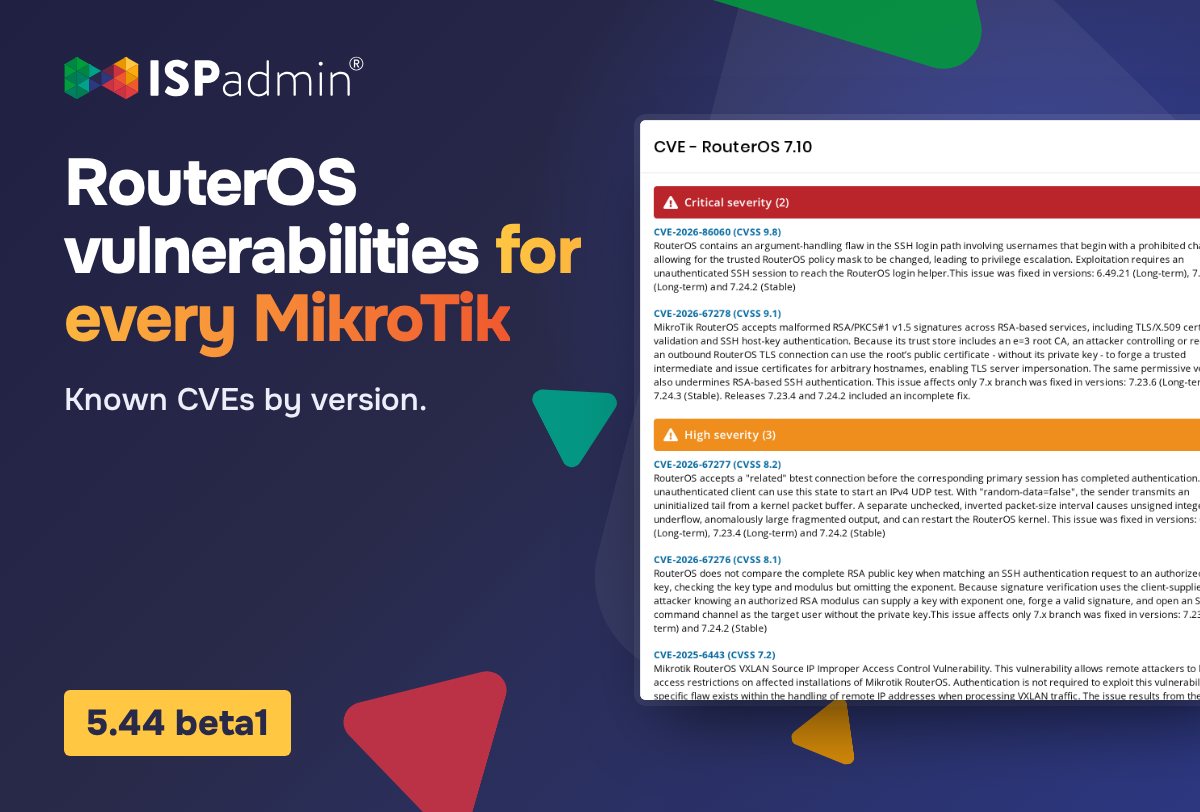
Starting with ISPadmin 5.44 beta1, you can see how many known vulnerabilities affect the RouterOS version running on each MikroTik router. This tells you at a glance which routers to update first. The article also covers other network management news: WinBox links in more places, bulk changes to devices connected to a router, and IPv6 for additional IP addresses.
Available from ISPadmin 5.44 beta1.
What’s new
- The CVE column in Router status shows the number of known vulnerabilities for the RouterOS version of MikroTik routers.
- You can select the WinBOX protocol in an end device template. A WinBox link is then offered for devices with this template.
- The Client card also has a WinBox link for MikroTik switches with RouterOS.
- In the Devices connected to the router list you can select several devices and change their monitoring or SNMP settings at once.
- For Internet services, IPv6 can also be set for an additional IP address.
Vulnerabilities by RouterOS version
You will find the new CVE column in two places. In Hardware / Routers / Router status / Dashboard it is in the RouterOS versions table, where each version shows how many routers use it and how many vulnerabilities affect it. In Hardware / Routers / Router status / Routers the column sits next to the OS version of each router. Click its header to sort the list by the highest severity.
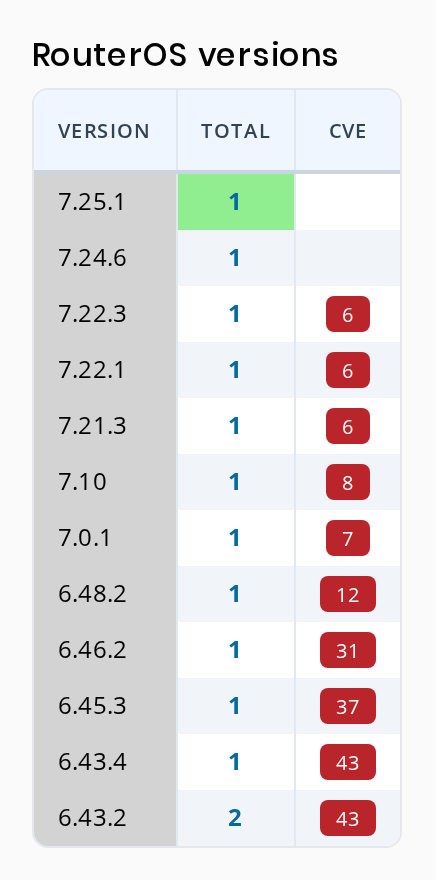
The badge colour corresponds to the highest severity found, and hovering over it shows a recommendation, for example Critical severity: You should upgrade as soon as possible.
Clicking the number opens the list of vulnerabilities. It is divided into sections by severity, from the highest to the lowest, and sorted by CVSS score within each section. Each item shows the CVE number with a link to the vulnerability detail, the CVSS score and a description.
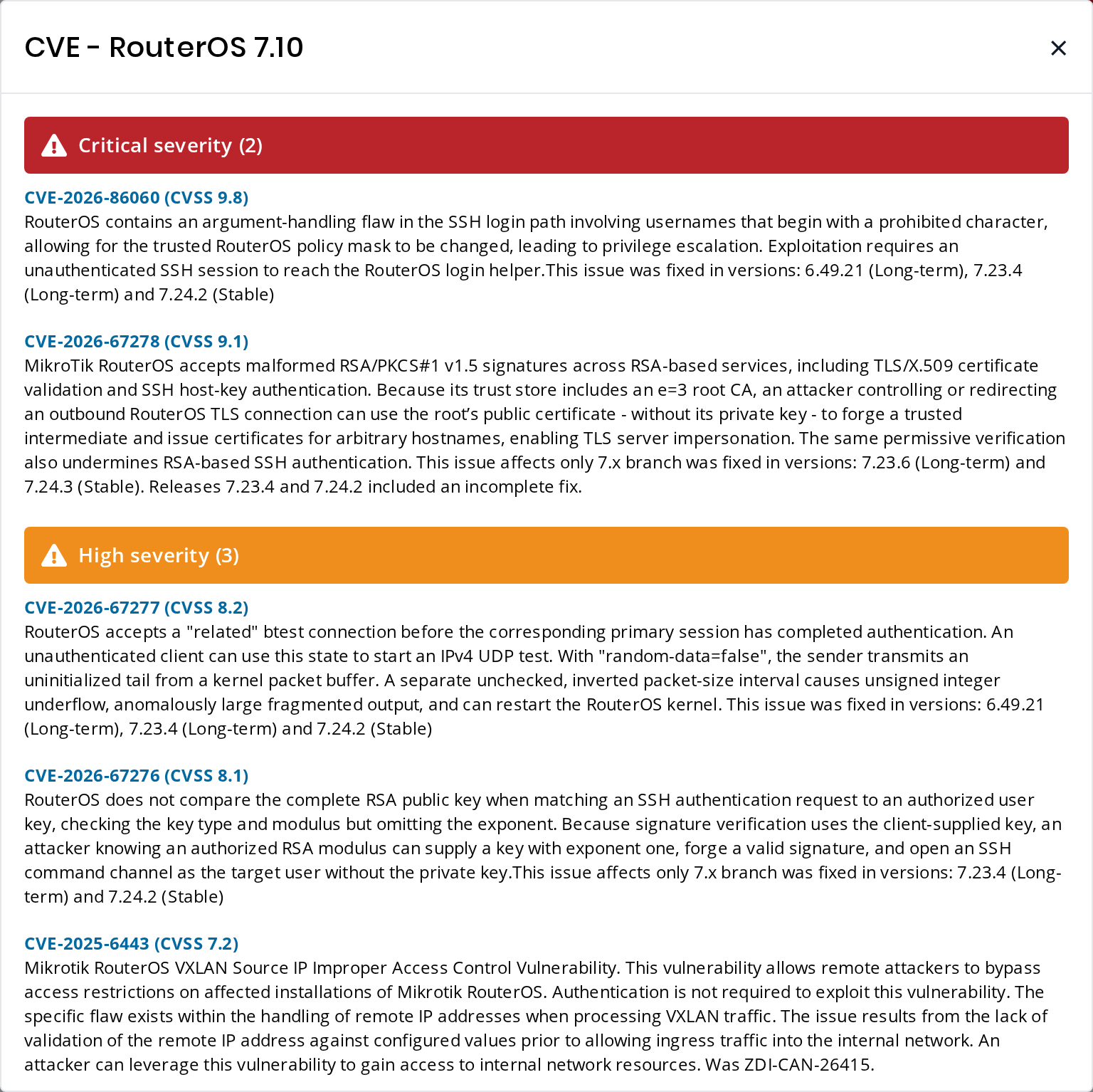
The data comes from the public NVD vulnerability database and ISPadmin updates it automatically every 12 hours. It shows the vulnerabilities the database lists for a specific RouterOS version. An empty field therefore means that the database has none recorded for that version. It is still worth following the vendor’s announcements.
WinBox from more places
The WinBox link has been in the router list since version 5.40 and in Router status since version 5.43. The link can now also be used for client devices. In Hardware / Settings / End devices, select WinBOX in the Protocol field of the template.
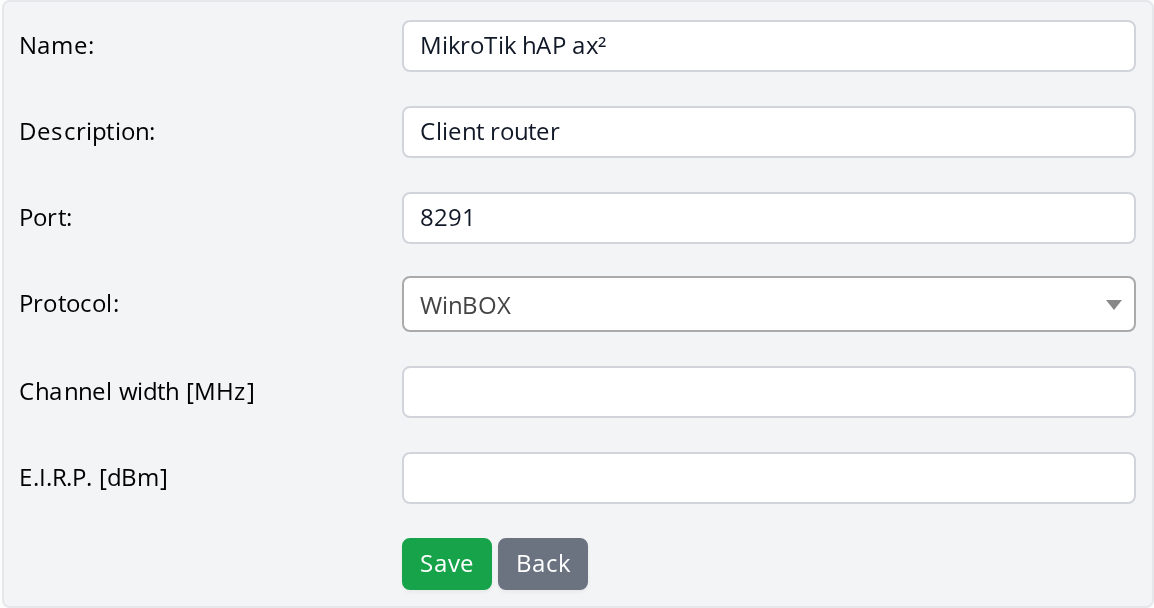
The Launch WinBox icon then appears on the Services and Statistics tabs of the Client card and, in Hardware / Routers / All, in the WiFi clients on APs and Client end devices lists. Where there was a link to the web interface, the icon replaces it. WinBox opens with the address of the device.
The same icon has been added to Client card / Services for the MikroTik switch with RouterOS that the service is connected to.
Bulk changes to devices connected to a router
When you need to change the same setting on twenty devices on one router, you no longer have to open them one by one. In Hardware / Routers / All, expand the Devices connected to the router list for the router, check the devices, select Edit monitoring or Edit SNMP in the Bulk action field and click Confirm.
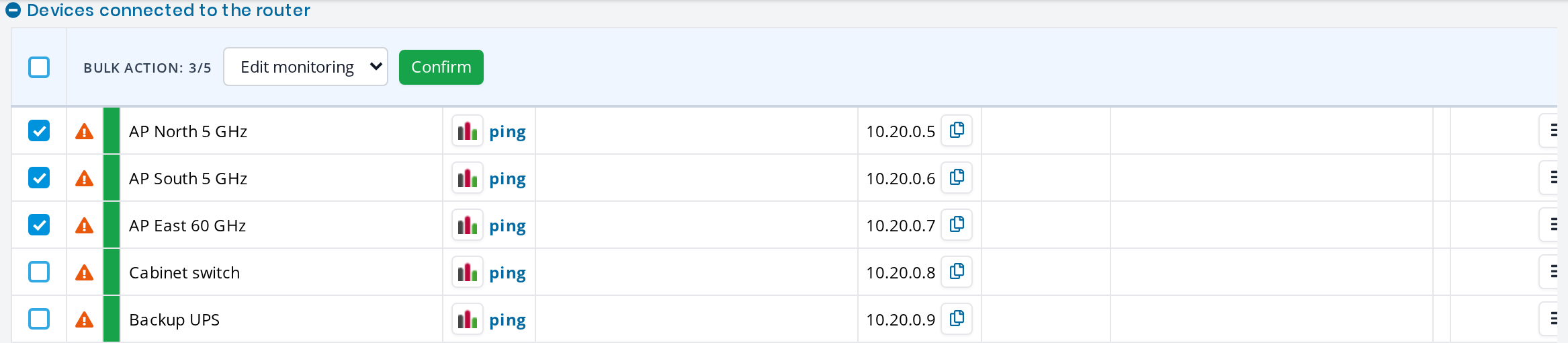
A window opens with settings that correspond to the device form. The change is saved for all selected devices and the others stay unchanged.
What to set up
- The CVE column appears after the update without any setup. It applies to MikroTik routers and its data is loaded with the next automatic update from the database. The ISPadmin server needs internet access to the NVD database.
- The WinBox link works on a Windows computer with WinBox installed. Register the link once on that computer: in the WinBox section of User settings, enter the path to WinBox.exe, download the package and follow the enclosed instructions.
- Select a login method in the same section. The icon is displayed to users with the Use WinBox right.
- For an end device, the icon is displayed when the service has the IP address of the device filled in.
- For a MikroTik switch with RouterOS, the icon is displayed when the switch has an IP address filled in and the service has it assigned together with a port. You also need the right to view switches and login credentials that match the selected login method.
- ISPadmin does not pass stored credentials to WinBox for client end devices. You log in to WinBox yourself, or enter the credentials in the ISPadmin window if you have selected the Use manually entered credentials method.
- You set IPv6 for an additional IP address in Client card / Services, on the additional IP address form of an Internet service, provided IPv6 support is enabled in the system and the service is not in RADIUS mode. The IPv6 you set is displayed in the Additional IP addresses table and written to the configuration of MikroTik routers.
How ISPadmin warns you about new vulnerabilities and how to update routers in bulk is described in the article A RouterOS vulnerability? ISPadmin tells you before anyone else finds it. All changes in this version are in the ISPadmin 5.44 changelog.